Power Budget
Totals the typical and max watts in every rack and on every circuit, and warns you when a circuit is over its limit.
- Reads:
- Device typical/max load watts, power config
- Output:
- Table, bar chart, printable
DaMatrix utilities
Describe the tool you want, let your AI coding app write it, and run it right beside your rack. No programming experience needed.
Utilities read your project and show, calculate or print from it. They can't change your rack or reach the internet.
Examples
Totals the typical and max watts in every rack and on every circuit, and warns you when a circuit is over its limit.
Turns the wattage in each rack into heat, in BTU/hr, so you can size cooling.
Lists every connection as a row, from device and port to device and port, with its cable label.
Lists every device with manufacturer and quantity, and totals your cost and the customer price.
Prints a label for each device or cable, sized for your label printer.
A per-device checklist (mounted, powered, tested) your installer ticks off. The ticks save with the project.
Limits
Before you start
Question 1 of 3
Does it read your project and show, calculate or print something?
Rule of thumb: if you could do it with a printout of your rack and a calculator, a utility can do it for you.
Starter kit
| File | What it's for |
|---|---|
AGENT.md | The rules and the full data reference for the AI. The prompt tells the AI to read it first. This file, not the page, is what keeps the AI inside the limits. |
plugin.json | The utility’s name card: id, name, version, which file to open. |
payload/index.html | A working “hello” utility that lists the devices in a rack. The AI replaces it with your tool. |
payload/damatrix-ui.js | The shared Rack menu every utility uses. It opens on the rack you’re working on in DaMatrix and lets you switch racks or pick all of them. The AI keeps this file as is. |
tools/preview.cjs | Runs the utility in a normal browser with a sample project, with the same restrictions as DaMatrix, so the AI can test and fix its own work. |
tools/sample-project.json | A real sample project (four racks, devices with watts, connections) the preview uses. |
tools/pack.cjs | Builds the installable .damatrix-plugin file. |
Your AI app runs the preview to see your utility working with sample data before you ever install it. An orange “Preview only” box lets it pretend you switched racks in DaMatrix, to check the Rack menu follows along. Ask it to “check it in the preview” whenever something looks wrong.
When you're happy with it, ask your AI app to “run the pack script”. You'll get a file ending in .damatrix-plugin. That's the file you install.
Prompt
Install
Pack it. Ask your AI app to run the pack script. You get a file like user-power-budget-1.0.0.damatrix-plugin.
Install it. In DaMatrix choose Utilities → Install Plugin… and pick the file. Double-clicking the file also works.
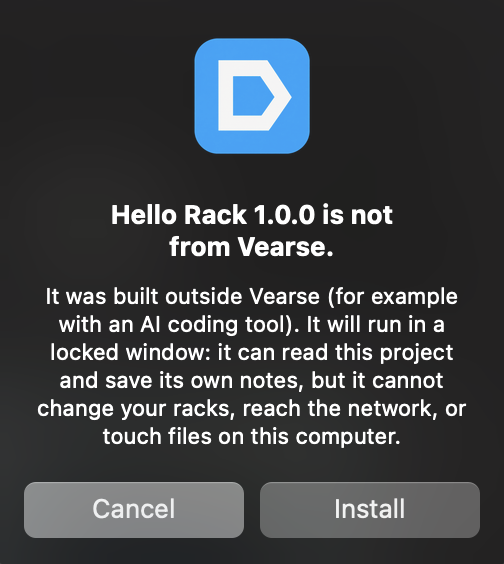
Confirm. DaMatrix asks whether to install a utility you made yourself. Choose Install.
Open it. Your utility appears in the right panel with a cyan Made by you badge. Click it and it opens in its own window, already showing the rack you're working on in DaMatrix. Use the Rack menu at the top to switch racks or choose All racks.

To update: change the version in plugin.json (for example 1.0.0 → 1.0.1), pack again and install the new file. Notes your utility saved stay with your project.
Utilities you make are for you. Only Vearse-signed plugins can be sold or shared as official DaMatrix plugins.
Help
| What you see | Why | What to tell your AI app |
|---|---|---|
| The utility window is blank | It loads something from the internet (a library or font from a CDN), which is blocked | “Don’t load anything from the web. Put every library inside payload/.” |
| “window.damatrix is undefined” | The page was opened directly instead of through DaMatrix or the preview | “Test it with node tools/preview.cjs.” |
| A number is missing or shows 0 | The data isn’t in your project (for example a device with no wattage entered) | Fill it in on the device in DaMatrix, or ask the AI to show “not set” instead of 0 |
| Install says "Plugin package is not signed. A utility you made yourself must use an id starting with "user-"" | The id in plugin.json doesn’t start with user- | “Change the id to start with user- and pack again.” |
| Install says "Plugin package is missing integrity.json" or "is not canonically encoded" | The file was zipped by hand or edited after packing | “Run the pack script again.” |
| Install says "A user-made utility cannot declare itself free" | plugin.json has "free": true | “Remove the free field from plugin.json.” |
| Labels or lists show the wrong rack, or every rack at once | The utility isn’t using the Rack menu | “Use the rack picker from damatrix-ui.js as AGENT.md rule 10 says, and only show the racks it selects.” |
| Links don’t open | Only https links can open, and only through the DaMatrix link call | “Open links with window.damatrix.openExternal and use https.” |
| My saved notes are gone | The project wasn’t saved after the utility saved them | Save the project in DaMatrix (the utility marks it as changed) |
.damatrix-plugin extension)plugin.json: the manifestintegrity.json: {"algorithm":"sha256","files":{"payload/<path>":"<sha256 hex>", …}} listing every file under payload/, and nothing elsepayload/…: the utility's filessignature.ed25519. A user utility is unsigned.| Field | Required | Rule |
|---|---|---|
schemaVersion | Yes | 1 |
id | Yes | Starts with user-; lowercase letters and digits joined by single hyphens |
name | Yes | Shown on the card and window |
displayName | No | Overrides name in the window title |
version | Yes | major.minor.patch, e.g. 1.0.0 |
entrypoint | Yes | Path inside payload/, e.g. index.html |
productId | Yes | Any non-empty text; use the id |
logo | No | Path inside payload/; without one the card shows the name |
minimumHostVersion | No | Oldest DaMatrix version it runs on |
free | Not allowed | Rejected for user utilities |
1200 × 860 (minimum 720 × 480), its own window, titled “<name> — made by you”. Content Security Policy: scripts, styles, images and fonts only from the utility's own files (inline script and style allowed; data: and blob: images allowed); no network connections, frames, pop-ups or navigation.
window.damatrix| Call | Returns / does |
|---|---|
version | 1 |
getProject() | Promise of the project snapshot (below) |
onProjectChanged(callback) | Calls back with a fresh snapshot after the project changes; returns a function that stops listening |
saveSection(key, value) | Saves a JSON value under this utility’s own name in the project. Key: letters, digits, _ . -, up to 64 characters. Value: up to 512 KB as JSON. Saved to disk when the user saves the project. Returns { ok: true } or { ok: false, error }. |
openExternal(url) | Opens an https: link in the user's browser. Returns { ok }. |
print() | Opens the print dialog for the utility window |
{
  "version": 1,
  "generatedAt": "2026-10-10T18:00:00.000Z",
  "pluginId": "user-power-budget",
  "project": { "name": "Church Rack", "path": "/Users/…/Church Rack.dam" },
  "racks": [
    {
      "id": "…", "index": 0, "name": "FOH", "heightU": 24, "profile": "…", "isActive": true,
      "devices": [
        { "slot": 3, "deviceName": "…", "manufacturer": "…", "uSize": 2, "unitWatts": 45, "maxLoadWatts": 90,
          "lineVoltage": "120V", "ipAddress": "…", "cost": 0, "customerPrice": 0,
          "customSpecs": [{ "key": "…", "value": "…" }], "notes": "…",
          "imageName": "…", "placementId": "…" }
      ]
    }
  ],
  "connections": [ ],
  "fieldDevices": [ ],
  "powerConfig": { },
  "roomDimensions": { },
  "sections": { "<key>": "<whatever this utility saved>" }
}
Device records carry whatever fields the user filled in, so any field may be missing; a utility must treat a missing value as “not set”, not zero. slot is the rack position. Pictures, hotspots and any embedded image data are never included. sample-project.json in the starter kit is the authoritative example of real field names. isActive marks the rack open in DaMatrix. unitWatts is typical power; maxLoadWatts is maximum; uSize is height in rack units. Every utility uses the kit's rack picker (payload/damatrix-ui.js, AGENT.md rule 10), which also defines what counts as in a rack: the rack's own devices, field devices whose rackId is that rack, and cables with either end in that rack. The pack script warns when a utility skips the picker.
Your prompt
Read AGENT.md in this folder first and follow it exactly. It explains how DaMatrix utilities work and what they are not allowed to do.

Build a DaMatrix utility.

Name: Heat Load
Plugin id: user-heat-load

What it should do:
Convert the device wattage in each rack to heat in BTU/hr and show a total for each rack and for the whole project.

Project data it uses: Racks and devices, Device power (watts)
Show the results as: Table, Printable page
Remember with the project: nothing
Racks: use the standard rack picker (damatrix-ui.js) and open on the rack I have open in DaMatrix.

Update plugin.json with this name and id. Replace payload/index.html with the utility. Test it with the preview (node tools/preview.cjs) and the sample project, and fix every error or blocked request it reports. When it works, run the pack script and tell me the name of the .damatrix-plugin file it made.
Nothing you type here is sent anywhere. Paste the prompt into Claude Code, Cursor, ChatGPT or a similar app, with the starter kit folder open.