Field Devices Where They Live
TVs, speakers, mics, cameras, APs, door stations.
Pick a room from the dropdown and the device moves there, at the mount height you set.
DaMatrix plugin
Every room, every field device, every cable run, traced back to the rack.
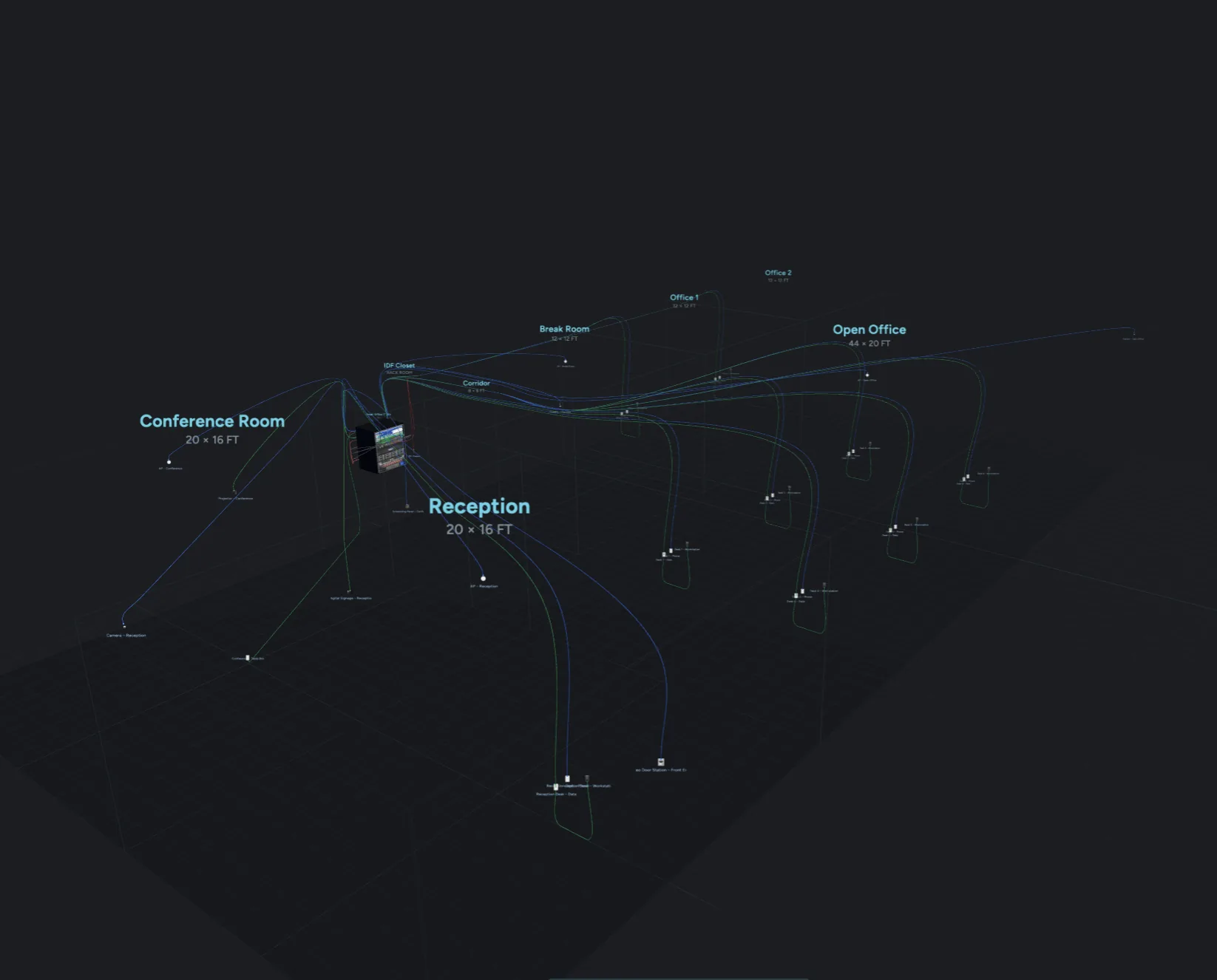
DaMatrix draws the rack. Spaces draws the building around it: every room on the job, every speaker, camera, access point and display in the room it serves, and every cable run from the rack out to it. Built for integrators, AV and IT pros, and anyone wiring more than one room. It works inside DaMatrix Pro, on the same projects and the same connections.
Every room, every field device, every run back to the rack.
Was $14.99now $9.99
One-time purchase. Yours to keep.
Adds to DaMatrix Pro:
Requires DaMatrix Pro ($2.95/mo).
The rack room, plus every room it feeds.
Conference room, reception, open office, the stage: every space draws together around the rack, with each run leaving the cabinet and landing on the device it serves.
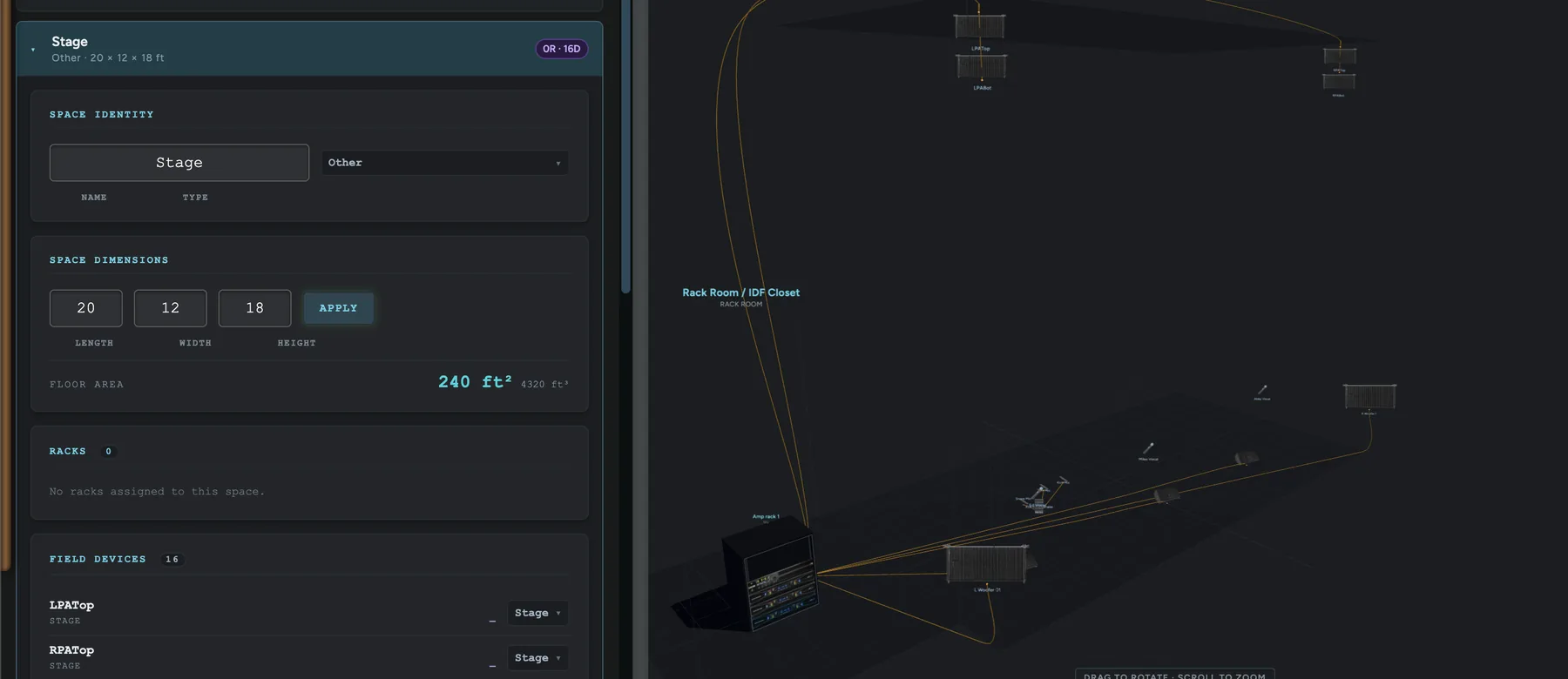
One card per room, one line each when collapsed.
Name it, give it a type and real dimensions, and Spaces works out floor area and volume. Assign racks and field devices to the room they actually live in.
TVs, speakers, mics, cameras, APs, door stations.
Pick a room from the dropdown and the device moves there, at the mount height you set.
The amp rack belongs side stage. Put it there.
Every rack in the project draws with its own gear, whichever one you have open in the builder.
Give a room a level and it goes upstairs.
Heights inside each room stay measured from that room’s own floor, so a speaker at 7 ft is still 7 ft up on the third floor. Basements work too.
Open an older rack and nothing moves.
Unassigned field devices stay in the rack room until you place them, and rooms save inside your .rack file.
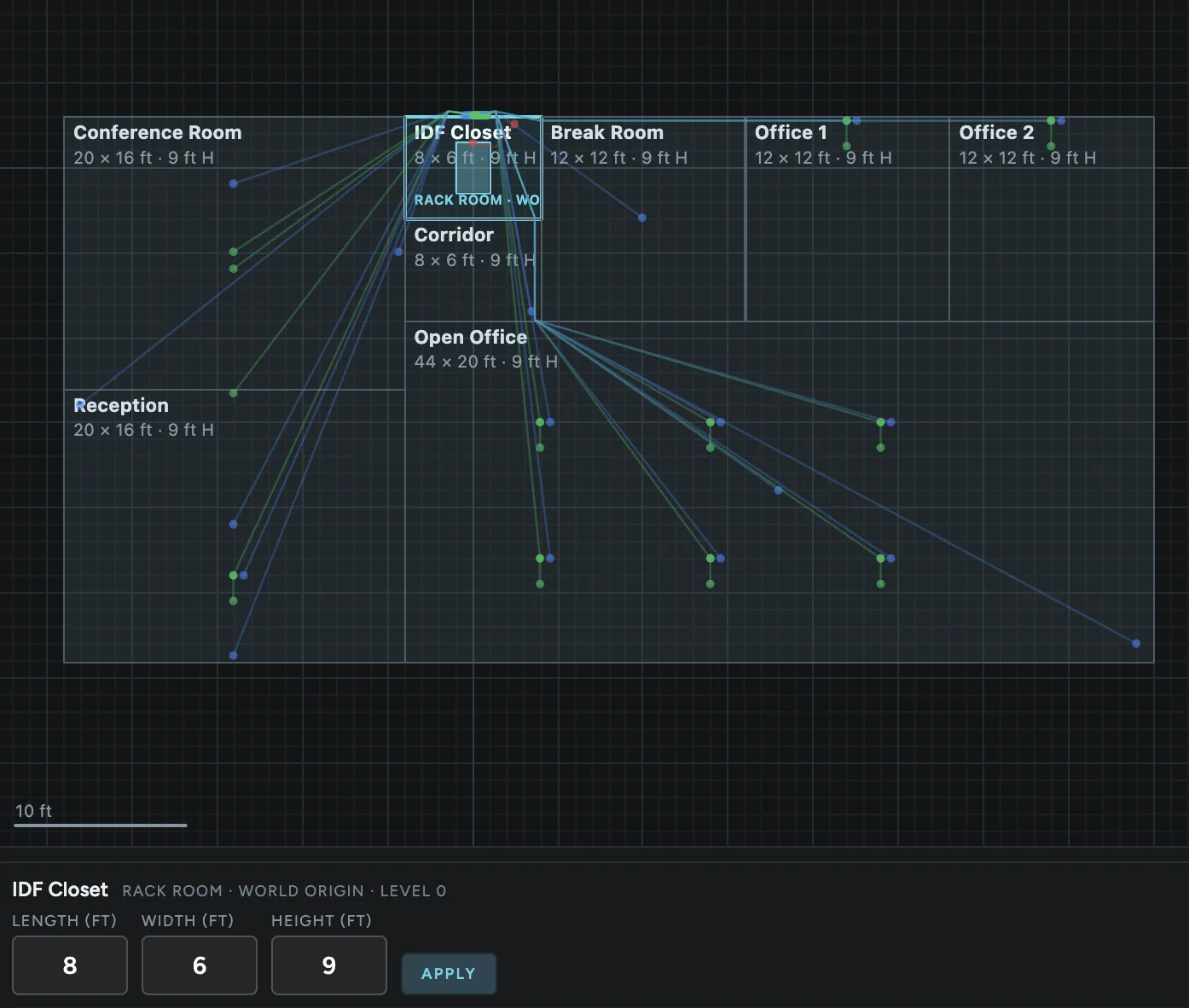
A top-down plan of every room on the job.
Drag rooms into place (they snap to half a foot, hold Shift for free placement), click one to set its length, width and height, and the 3D view rebuilds to match.
Up the riser, along the wall, down to the device.
Runs follow the wall two rooms actually share, climb to the plenum, and drop to the device. Runs between floors take a riser.
Turn on Edit Cables and bend any run.
Double-click a line to add a bend, drag it where the cable really goes. Rooms stay locked while you dress cable, so a slipped click never moves a wall.
Tidy drops every bend that isn’t doing anything.
Delete a single bend with the Delete key, or hit Reset Route to hand the run back to the automatic router.
The plan is flat. Your building isn’t.
Rooms on another level draw in amber and say how far above the rack room they sit.
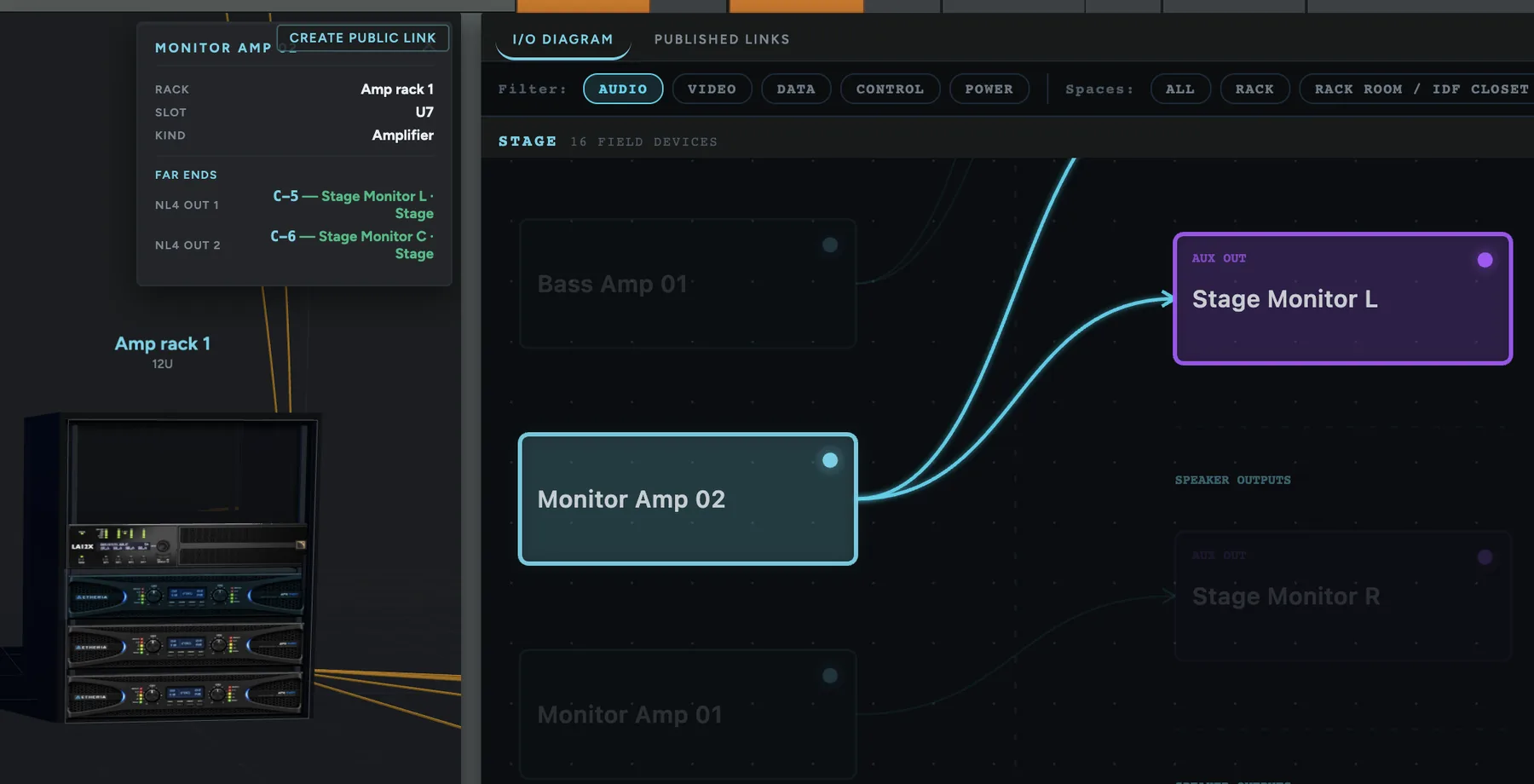
Click a device. See where every port goes.
Each output lists its far end, with the cable number and the room it lands in. Filter by Audio, Video, Data, Control or Power, and narrow it to one space.
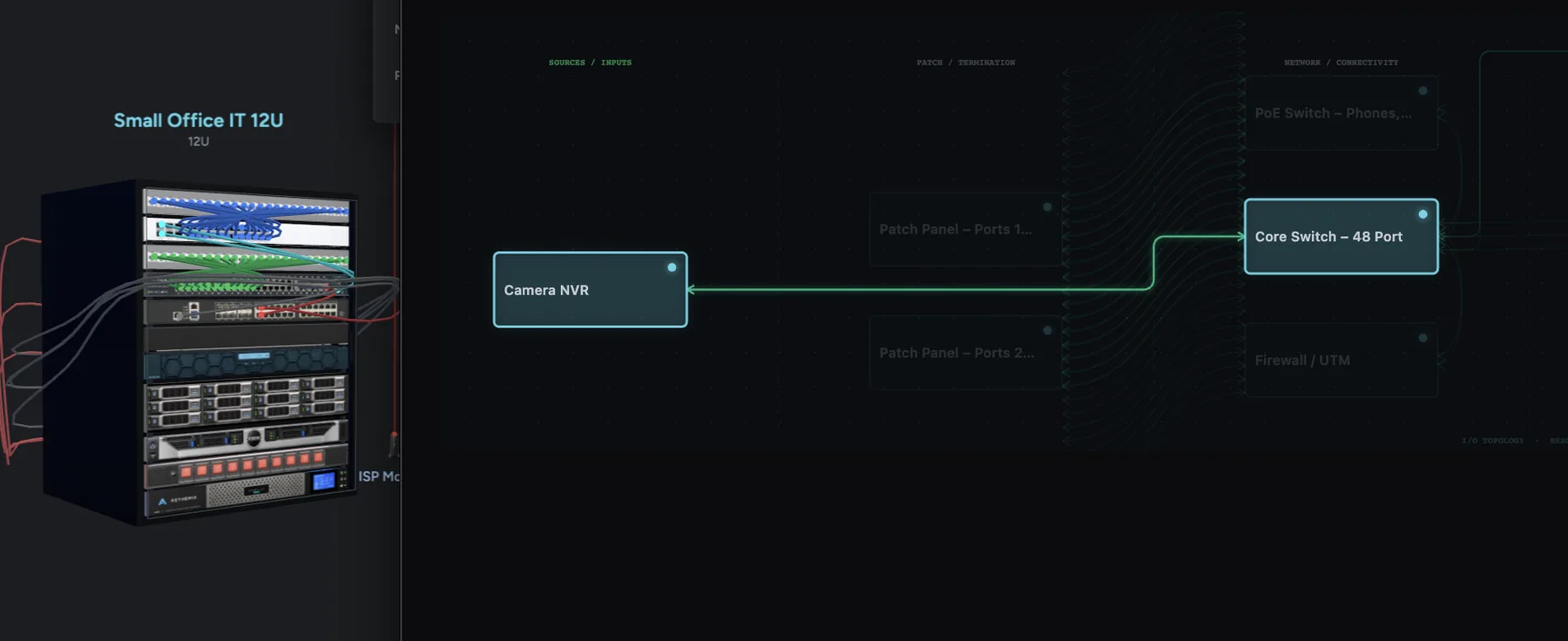
Pick something in the rack, follow it out.
The NVR in the closet, through the patch panel and the core switch, out to the camera at reception. Everything off the path steps back.
Hide the field devices, or the risers, with one toggle.
See just the rack, or just the building.
A wireless link arcs through the air with broadcast rings.
You’ll never mistake it for a cable, in the app or in an exported view.
Multi-rack jobs land runs on real ports.
Every cabinet, not only the one you had open.
Publish every space, rack, field device and cable run.
Send the client a shareable cloud view, or host a local view from this computer that any device on the network can open. Update an existing link to keep the address and refresh what it shows.
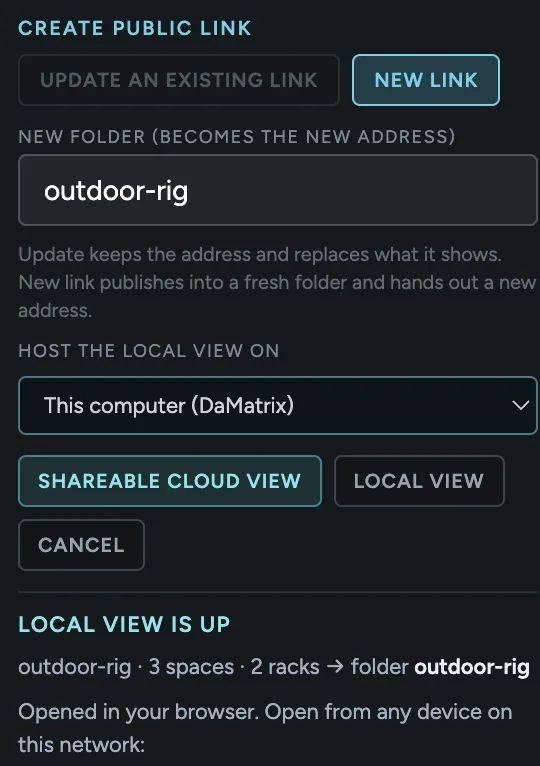
Send the whole building to app.vearse.com.
Your rooms, racks and runs open in the online viewer.
Hand over paper when paper is what they want.
Export the job as a client-ready PDF or as Markdown.
Was $14.99$9.99
One-time purchase. Yours to keep.
Requires DaMatrix Pro ($2.95/mo).