Stage Boxes, Snakes & Trunk Tie-Ins
From the downstage mic to the amp rack.
Multicores and rack-to-rack trunks are drawn as the backbone they really are.
DaMatrix plugin
One drawing of the whole system: every cable, every signal, every VLAN, traced end to end.
Built for the stage and the network closet, and for anyone who needs to know how one thing reaches another. Integrate works inside DaMatrix Pro, on the same projects, devices, libraries and connections.
One drawing of the whole system: every cable, every signal, every VLAN.
Was $19.99now $14.99
One-time purchase. Yours to keep.
Adds to DaMatrix Pro:
Requires DaMatrix Pro ($2.95/mo).
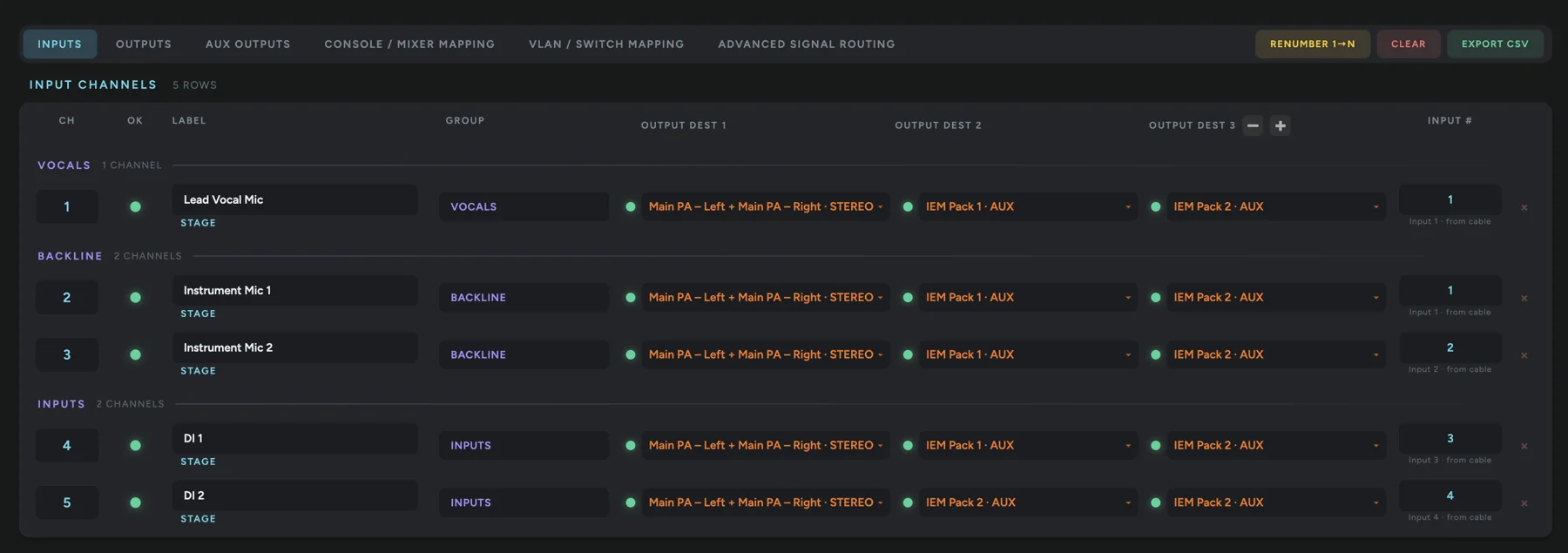
Your channel list, built from the rig itself.
Inputs, outputs and patch points come straight from what’s cabled, not retyped into a spreadsheet. Change a cable and the list changes with it.
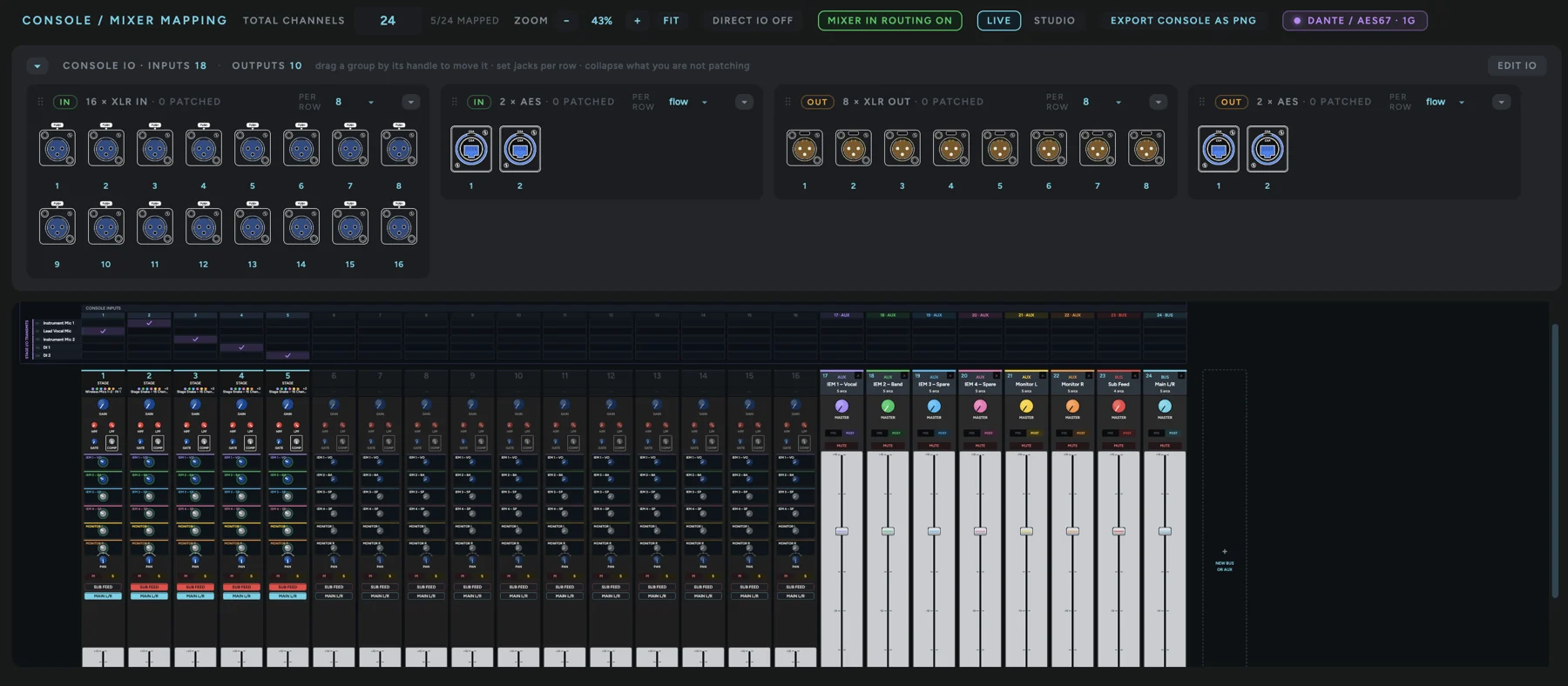
Build the desk to match the desk.
Lay out analog and AES jacks, map them to channels, and see which ones are patched as you go.
From the downstage mic to the amp rack.
Multicores and rack-to-rack trunks are drawn as the backbone they really are.
Cat6 on the wire, audio in the flow.
Audio-over-IP runs are labelled by protocol and stay in the audio view, so the switch never breaks your signal chain.
An XLR is an XLR.
Every run is named from the actual jacks on both ends: XLR, TRS, Speakon, speaker wire, RCA, optical, MIDI, USB and more.
RF hops, shown as RF.
Wireless links get their own look and never pass for a cable.
See every VLAN across the whole system.
Every managed switch is drawn port-for-port. Assign access and trunk ports, and every device on a VLAN lights up across the whole system.
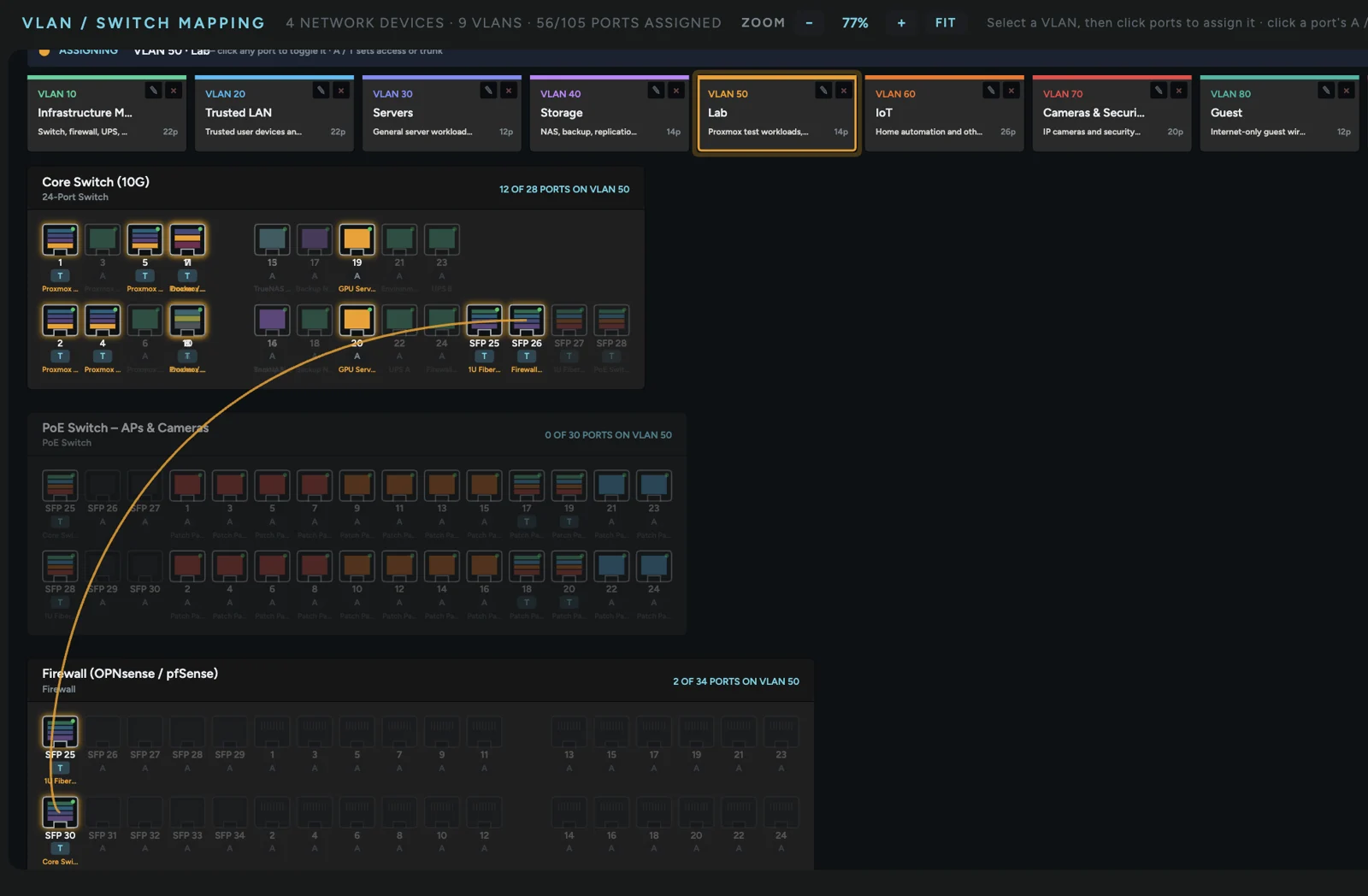
Catch the uplink that forgot a VLAN.
Switch-to-switch links show whether both ends actually carry the VLAN.
Same switch, different VLAN? It goes through the firewall.
Traces respect your VLANs and show traffic going up to the router and back down when it has to.
Internet → Firewall → Core → Access → APs → Servers → Clients.
Purpose-built network columns you can arrange to match how your network actually flows.
Wall plates and patch panels are roads, not stops.
Keystones, punchdowns and passthrough plates are understood as cabling, so traces run straight through them.
Every odd link in the chain.
Bridges through house wiring are recognised as part of the network.
No field devices required.
A server rack on its own is a complete diagram.
Click two things. See exactly how they connect.
Phone to server, Blu-ray to center speaker, NAS to the internet: one route, lit end to end.
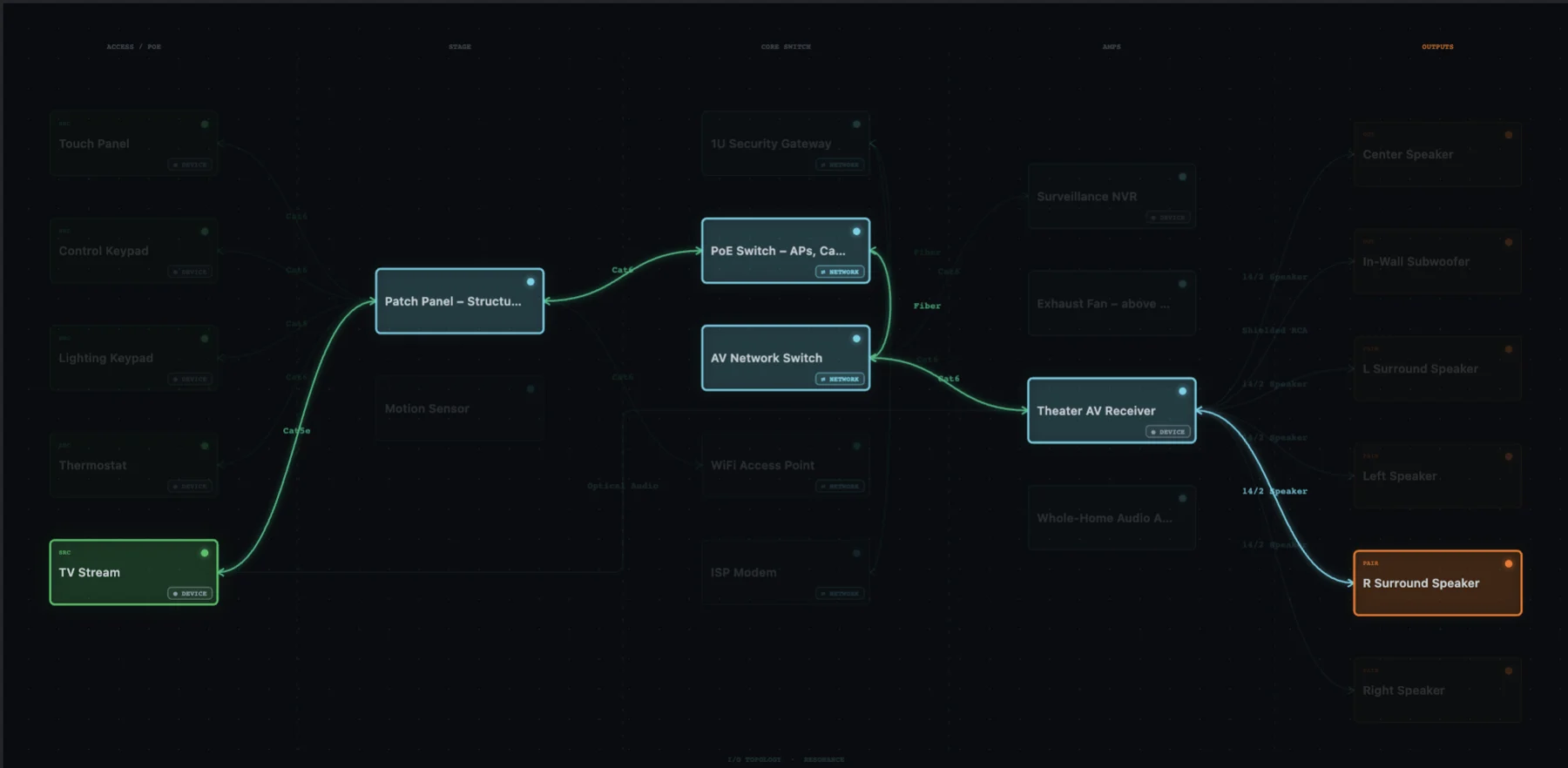
Network in, speaker wire out.
Traces cross from network to AV exactly where the real world does: a receiver streaming to speakers, a server driving an audio interface.
No “error,” just the answer.
When a route can’t exist, Integrate says why in plain words, such as “these two are connected, but neither sends signal to the other.” When it’s unsure, it asks one question and fixes the trace with a single click.
Name your server “DAT BIG BOY.” It’s still a server.
Device type, category, ports and wiring decide everything; the name is only a label.
Click a device and see everything downstream.
Its whole signal chain lights up and everything else steps back.
Audio · Video · Data · Control · Power.
See one layer at a time. Turn on the POWER view to see the UPS → PDU → device chain.
Arrange it once.
Column order, groups and row order save with the project.
Hand it off.
Per-device spec reports as Markdown or PDF, plus published links for clients and crews.
Was $19.99$14.99
One-time purchase. Yours to keep.
Requires DaMatrix Pro ($2.95/mo).