A Breaker for Every Circuit
15, 20, 30, 40 and 50 A single-pole; 15, 20, 30, 40, 50 and 60 A double-pole.
GFCI versions of the common sizes carry the test button on their face, so a protected circuit reads as one at a glance.
DaMatrix plugin
Your breaker panel, laid out, wired and labeled the way it’s built.
Fill a residential load center, wire every breaker to what it feeds, receptacles, pumps, heaters, lights, hardwired appliances, and let the circuit check catch the mistakes before they’re in the wall. Then print the door card. For homeowners, electricians, pool techs and integrators, inside DaMatrix Pro.

Your breaker panel, laid out, wired and labeled the way it’s built.
Was $9.99now $4.99
One time. No subscription.
Requires DaMatrix Pro ($2.95/mo).
Choose a 12, 30 or 40-space load center.
The can, bus and numbered positions are drawn to residential dimensions, so what you lay out is what fits.
15, 20, 30, 40 and 50 A single-pole; 15, 20, 30, 40, 50 and 60 A double-pole.
GFCI versions of the common sizes carry the test button on their face, so a protected circuit reads as one at a glance.
Drop a breaker and it lands in the nearest open position.
Arrow keys step it slot by slot; a double-pole takes two positions in one bank, like the real thing.
Right-click a breaker to add several at once.
They fill open positions in order, so circuit 1 goes in the first slot and the numbering comes out the way an electrician expects.
Switch from a 30-space to a 40-space and every breaker keeps its circuit number.
If a breaker no longer fits, Circuits tells you instead of moving it.
Receptacles, hardwired equipment, light fixtures and switches are placed beside the panel as field devices, ready to wire back to a breaker.
The equipment block takes nameplate amps or motor horsepower, 120 or 240 V, so a pool pump, a heat pump, a water heater or an EV charger counts the way it draws.
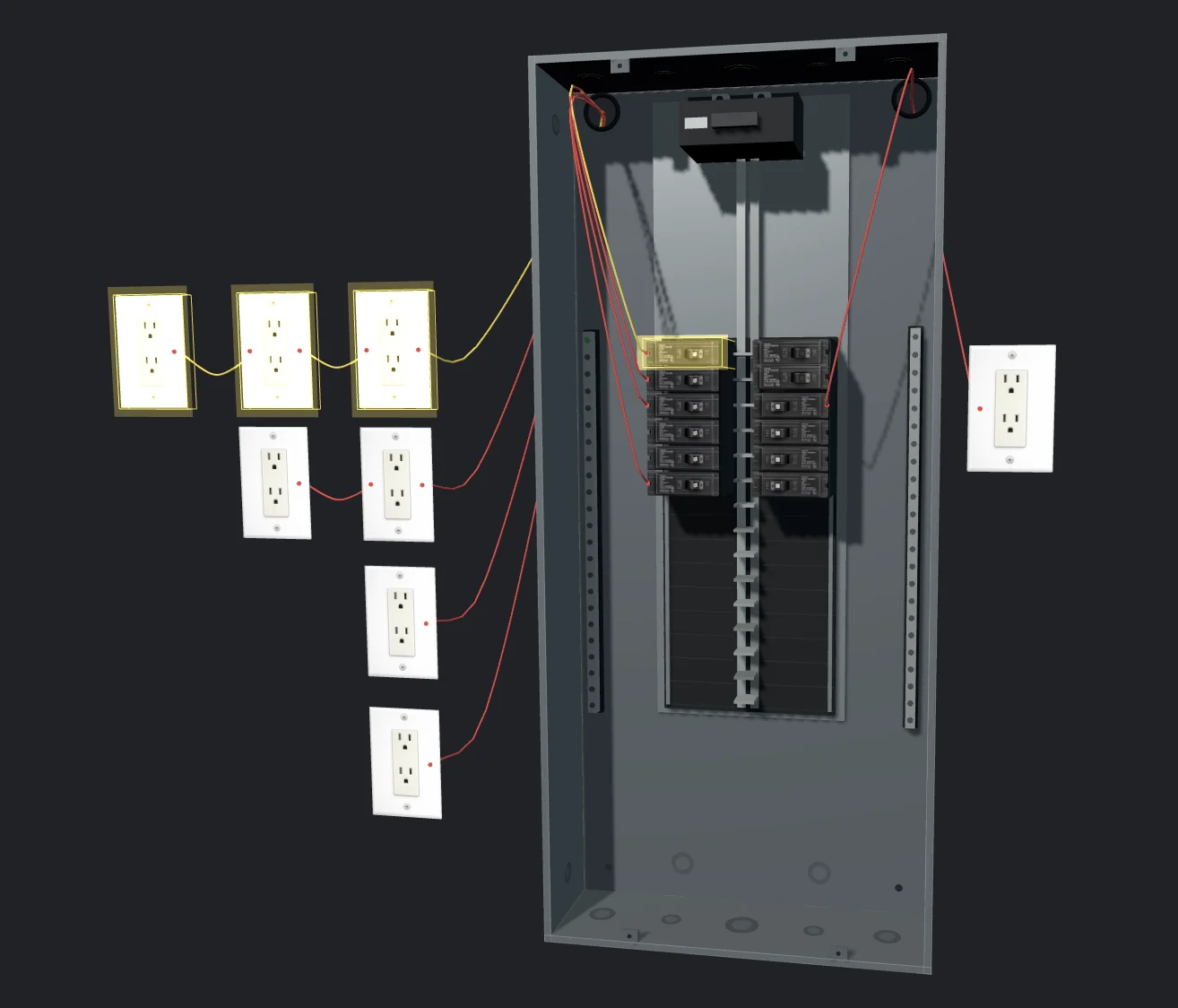
Open the 3D View to see the can, the breakers and the wiring from any angle.
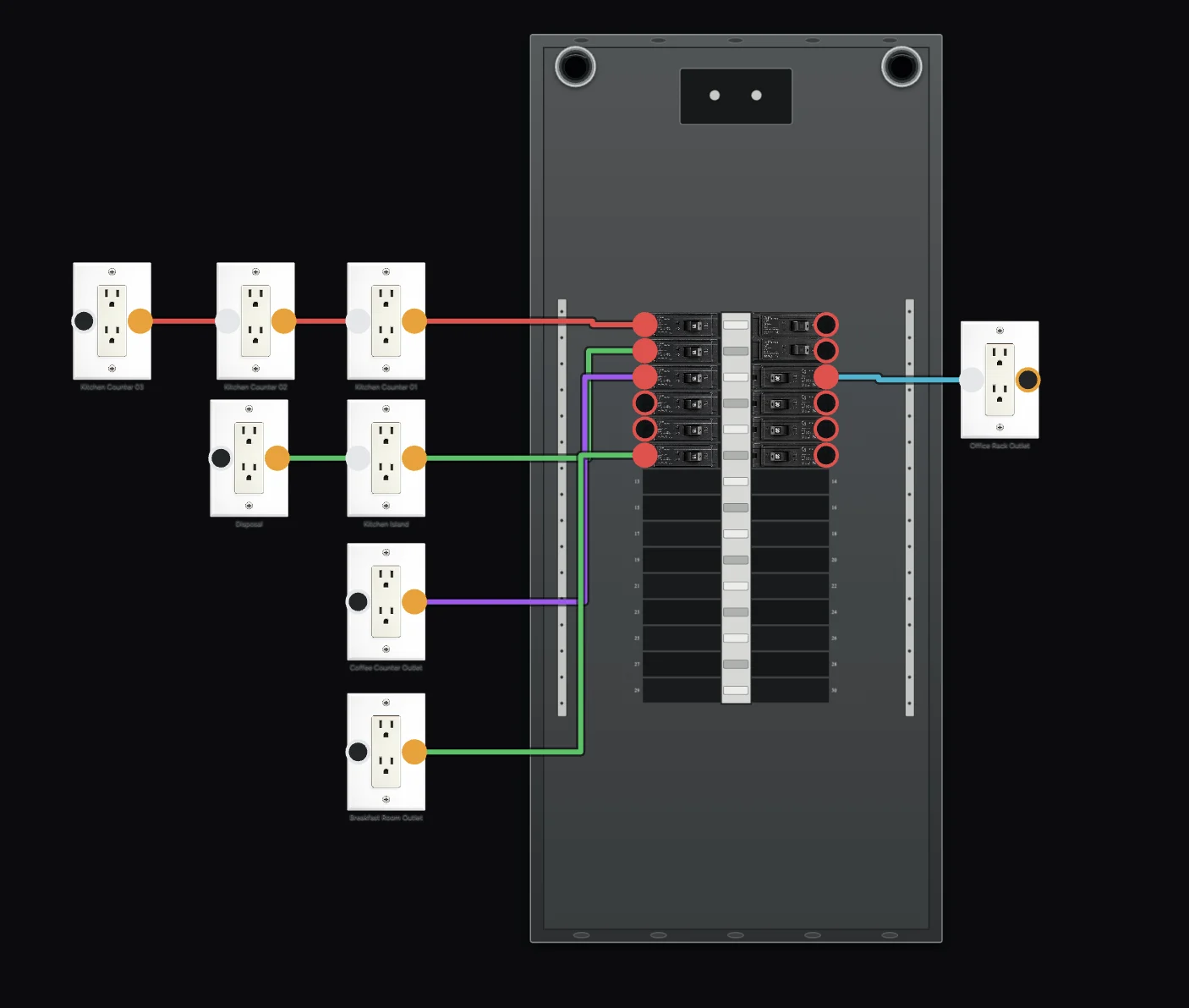
Every breaker and field device shows its terminals.
Two clicks make a wire; select it and press Delete, or right-click, to remove it.
One conductor per terminal.
One breaker per run, no loops, no two breakers tied together. And the pairing is checked the moment you click: a 240 V receptacle on a single-pole breaker, a 120 V duplex on a double-pole, a 50 A receptacle on a 15 A circuit, Circuits refuses the wire and tells you why.
Home runs leave the breaker, follow the gutter and exit the nearest knockout.
Daisy-chain jumpers hop device to device, LINE to LOAD.
A breaker and everything it feeds share one color.
Runs that haven’t reached a breaker yet stay grey, so an unfed outlet is obvious.
The panel, its wiring and every rating you entered save into your DaMatrix project and come back exactly as you left them.
Select any breaker or device and the inspector shows the whole circuit, live, as you type.
Plug-in loads and hardwired equipment are summed together on the breaker.
Over the rating means it trips. Over 80% is fine for short loads, not for continuous ones. Motors count at 125% and continuous loads at 125% when checking the breaker is big enough, so you’ll know whether that pump and chlorinator can share a 20 A two-pole before you land the wires.
A 15 A circuit allows about 8 receptacles, a 20 A about 10, at 180 VA each.
30 A and 240 V circuits are dedicated. Hardwired equipment doesn’t count against the cap, the amp total decides.
Copper minimums per breaker, 14 AWG at 15 A through 4 AWG at 60 A, editable per circuit.
Kitchen counters, bathrooms, garages, outdoors, laundry, unfinished basements and pool or spa equipment need GFCI protection.
Circuits knows whether a GFCI breaker or a GFCI receptacle upstream covers each device, and flags a GFCI receptacle wired backwards on LINE and LOAD.
What’s plugged into one receptacle is checked against that receptacle’s own rating, and receptacle ratings are checked against the circuit.
Every limit an electrician would reasonably override, outlet cap, wire gauge, continuous flag, is editable per breaker. It’s a planning check built on common residential practice, not a substitute for local code or a licensed electrician.
The one thing every panel needs when the cover goes back on.
Odd circuits on the left, even on the right, each with its label and rating, ready to print and slide into the panel door.
One row per breaker: circuit number, label, amps, poles, breaker type, wire gauge, leg, everything on the circuit, its load and anything the circuit check flagged.
Spaces used and free, connected load, the split across leg A and leg B, and the busiest leg against your main breaker size.
Print it, save it as a PDF, or download it as CSV or Markdown.
Was $9.99$4.99
One time. No subscription.
Requires DaMatrix Pro ($2.95/mo).